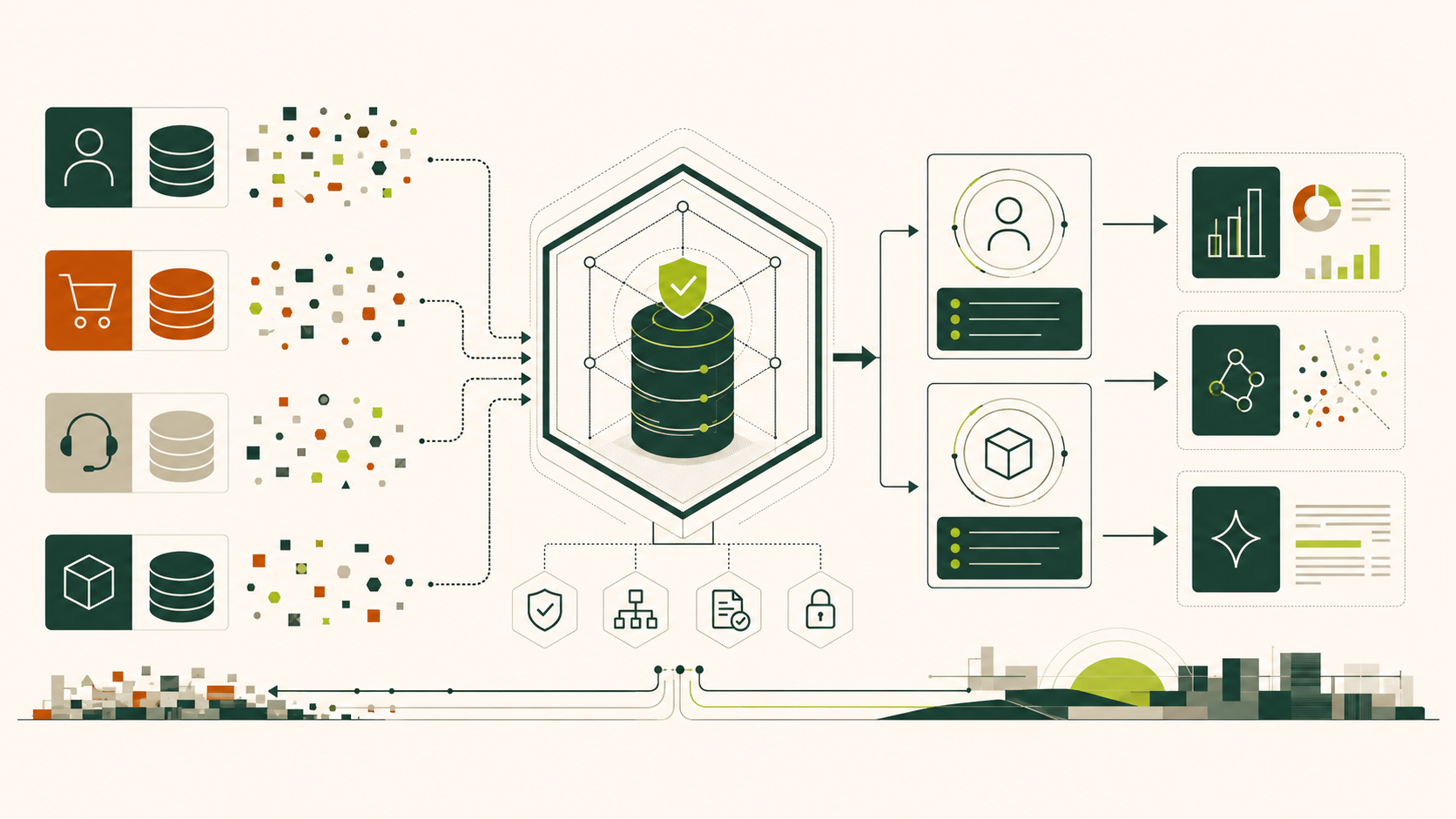
Generative AI makes data quality visible in a way dashboards rarely did. A dashboard can hide a duplicate customer inside an aggregate. A retrieval assistant may confidently expose both identities, quote the wrong contract tier, or recommend a discontinued product. The model did not create the contradiction; it amplified an unresolved identity problem.
This workshop treats master data management (MDM) as an operational control plane for AI—not a cleanup project. We will build a small but realistic customer-and-product domain in EBX, measure its quality, reconcile identities, publish governed records to consumers, and preserve evidence for every important decision. No production data is required.
Audience and prerequisites
This chapter is for data architects, stewards, governance leaders, analytics engineers and AI product owners. You should understand tables, keys and basic data-quality concepts. You need an EBX 6.x non-production environment, permission to use the Advanced perspective, and later chapters may require licensed Data Exchange and Match and Merge add-ons.
Version note: EBX installations differ by release, enabled add-ons, perspective configuration and administrator terminology. Menu labels below describe EBX 6.x concepts; verify them against your installed documentation before using them in production.
Learning outcomes
By the end, you can:
- explain how entity ambiguity becomes AI risk;
- distinguish source, mastered and golden records;
- define measurable acceptance criteria for an AI-ready domain;
- create an isolated workshop dataspace and dataset without affecting production;
- establish an evidence-based baseline.
The AI-ready master-data contract
An AI system needs more than accurate columns. It needs an entity contract:
- Identity: one durable identifier for the business entity.
- Meaning: governed definitions for fields and relationships.
- Quality: declared rules, severity and accountable owners.
- Provenance: where a value came from and when it changed.
- Decision rights: who may propose, approve and publish changes.
- Consumption policy: which records and attributes an AI workload may use.
These controls reduce retrieval collisions, leakage of restricted attributes, unstable training sets and irreproducible answers. MDM does not guarantee truthful AI, but it removes several avoidable ways of being wrong.
Synthetic case: Northstar Outfitters
Northstar sells outdoor equipment through commerce, stores and distributors. Start with these intentionally conflicting records:
| source | source_id | name | country | loyalty_tier | |
|---|---|---|---|---|---|
| CRM | C-1007 | Amina Rahman | amina@example.test | US | Gold |
| Commerce | WEB-882 | Amina R. | AMINA@example.test | USA | |
| Support | ZD-441 | Amina Rahman | amina@example.test | United States | Silver |
| source | source_id | sku | product_name | status | category |
|---|---|---|---|---|---|
| ERP | P-200 | ALP-40-BLU | Alpine Pack 40L | Active | Packs |
| PIM | 7781 | alp40-blue | Alpine 40 L Backpack | active | Backpacks |
| Commerce | 991 | ALP-40-BLU | Alpine Pack | Discontinued | Hiking Bags |
Use .test addresses only. Never put personal or confidential data into the lab.
Northstar EBX Workshop Kit
Everything required to reproduce Part 1 in an approved non-production EBX environment.
EBX 6.x · Synthetic data · 23 KB total
- northstar_master.xsdXSD schema · 20.0 KBDownload
Embedded semantic model for the Northstar workshop.
- SourceSystem.csvCSV data · 277 BDownload
Five upstream-system definitions; import this first.
- Customer.csvCSV data · 267 BDownload
Three deliberately conflicting customer candidates.
- Product.csvCSV data · 267 BDownload
Three deliberately conflicting product candidates.
- QualityObservation.csvCSV data · 938 BDownload
Six baseline quality-evidence records.
- README.mdGuide · 1.4 KBDownload
Import order, corrected baseline, and safety guidance.
Hands-on: establish the governed workspace
Complete these steps only in an EBX non-production environment. Menu labels can vary by EBX release and by the perspectives your administrator has enabled. Record any local naming differences in the workshop README before continuing.
Step 1 — Create the isolated workshop dataspace
- Sign in to the EBX non-production environment with an account permitted to create child dataspaces.
- Switch to the perspective that exposes Dataspaces or open the dataspace selector provided by your installation.
- Select the approved non-production parent dataspace. Do not select a production, reference, or release dataspace.
- Review the parent’s current snapshot or branch point and record its identifier and timestamp.
- Choose the action to create a child dataspace.
- Enter
AIMDMWORKSHOPas the technical name and use a readable label such as AI MDM Workshop. - In the description, state that the dataspace contains synthetic training data and must never be merged into production.
- Create the child and switch your session into it.
- Confirm that the active-dataspace indicator shows
AIMDMWORKSHOPbefore creating any model or data.
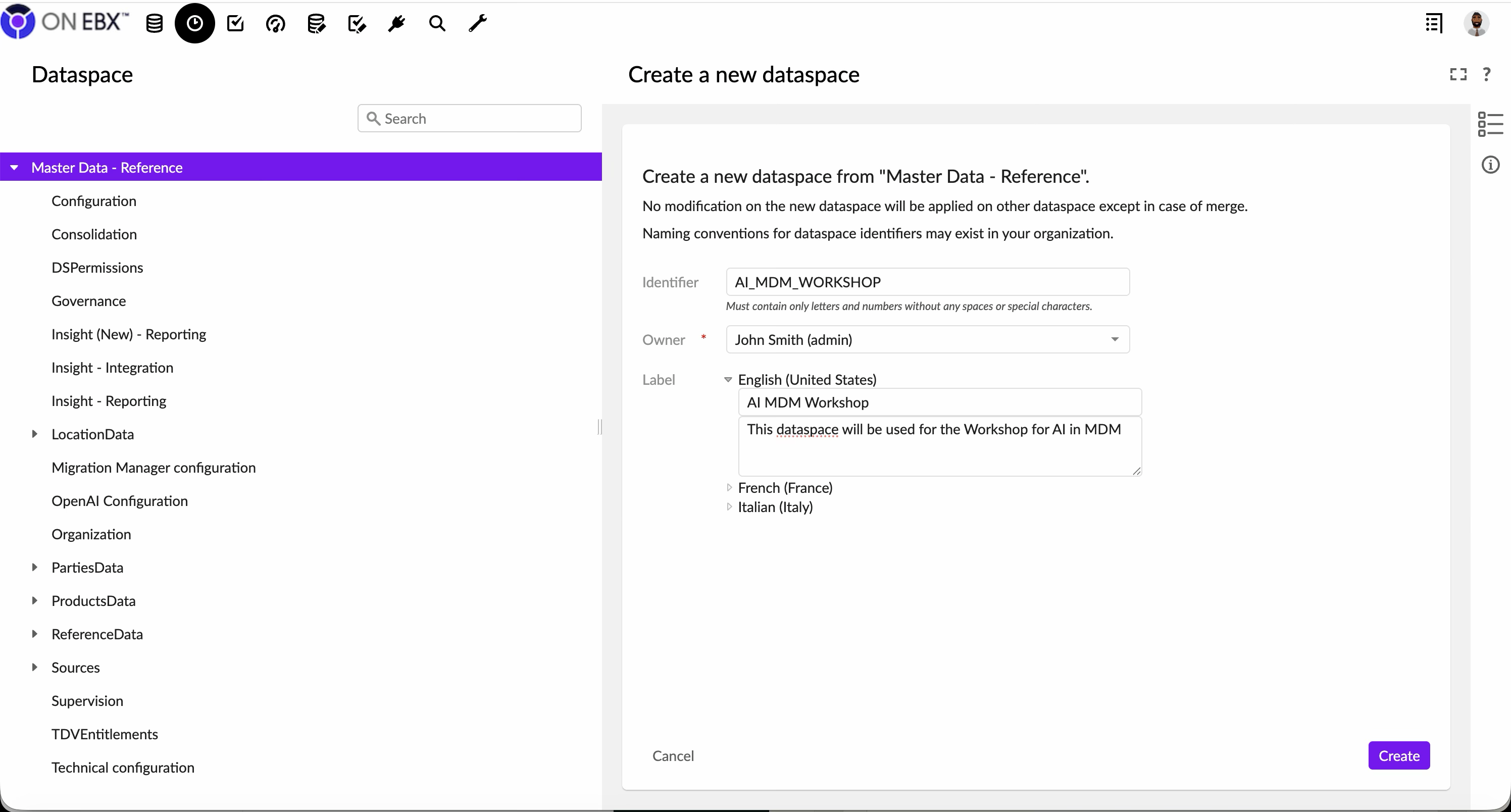
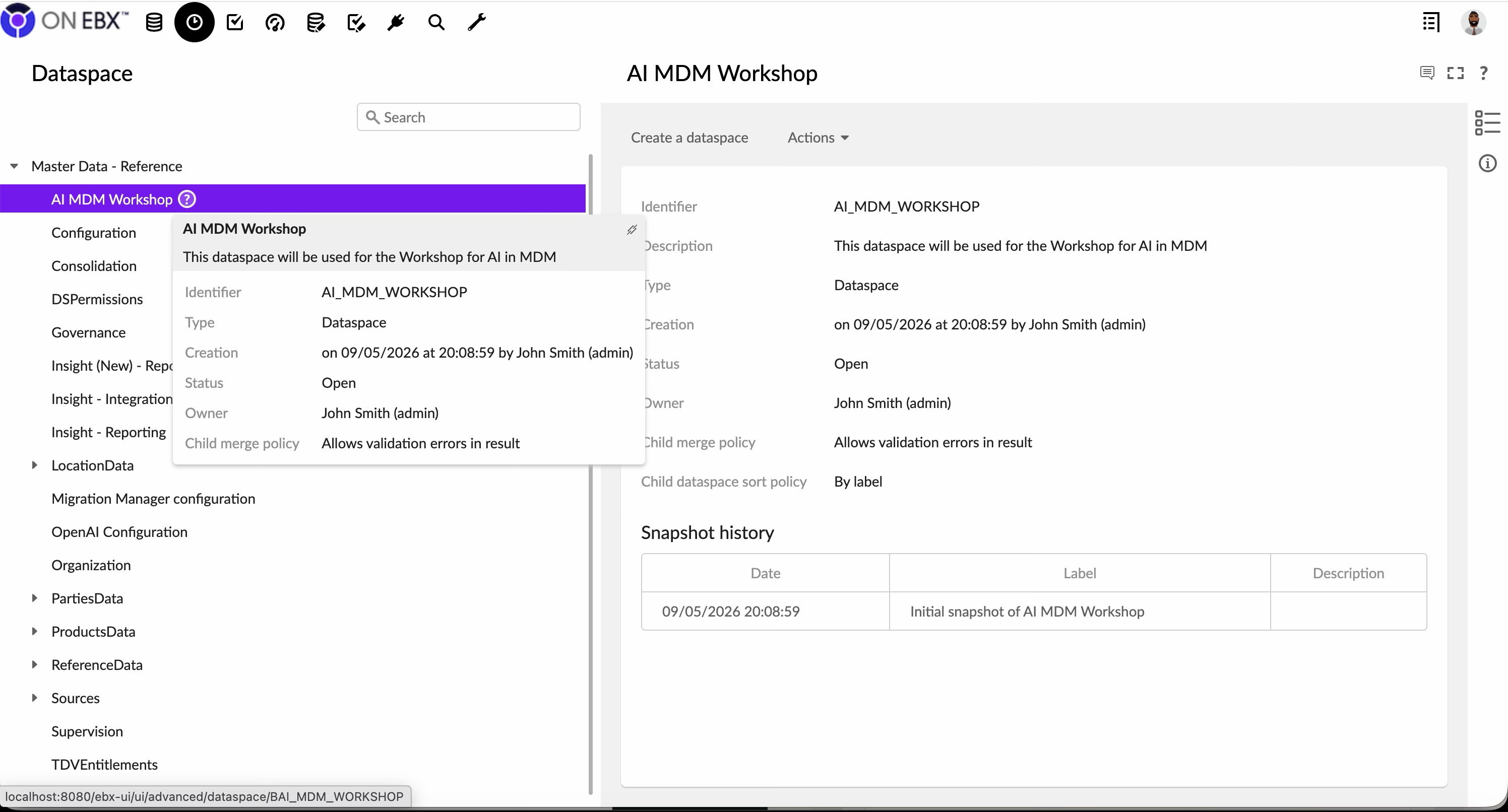
Expected result: AIMDMWORKSHOP appears beneath the approved non-production parent, and all subsequent changes are isolated inside it.
Validation: Open the dataspace comparison view. The child should initially show no workshop changes relative to its recorded parent snapshot.
Stop condition: If you cannot prove that the selected parent is non-production, or if the interface proposes an immediate merge, stop and ask the EBX administrator to confirm the lifecycle configuration.
Step 2 — Create the embedded semantic data model
- While
AIMDMWORKSHOPis active, open Data Models. - Choose Create data model and select an embedded or semantic model appropriate for the standard EBX dataspace lifecycle.
- Set the technical name to
northstar_master. - Add a readable label such as Northstar Master Data Model and describe its customer, product, source-system and quality-observation scope.
- Confirm that relational mode is not selected for this workshop. The exercises rely on semantic-model capabilities and the dataspace lifecycle.
- Assign the model to the workshop dataspace or repository location required by your EBX installation.
- Save the initial model definition without publishing it yet.
- Reopen the model and verify that its mode, technical name and location are correct.
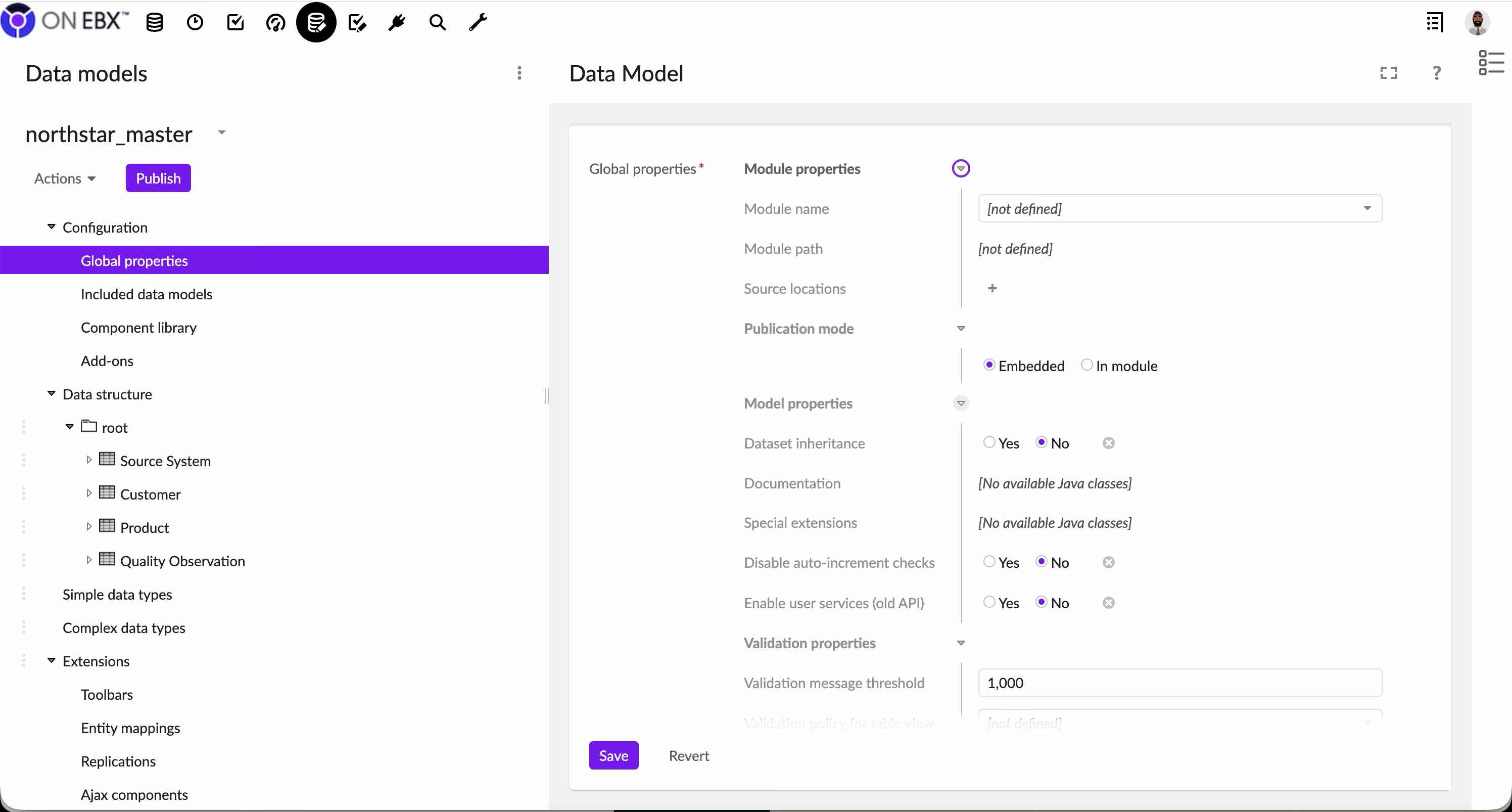
Expected result: An unpublished embedded semantic model named northstar_master exists only in the workshop context.
Validation: The model editor should permit semantic schema construction and should not identify the model as relational.
Recovery: If the wrong model mode was chosen, remove the empty workshop model and recreate it before adding tables. Do not continue with a model whose lifecycle differs from the exercise.
Step 3 — Define the initial table skeleton and publish version 1
- Open
northstar_masterin the model editor. - Create a table named
Customer; add a technical primary key placeholder such ascustomer_id. - Create a table named
Product; add a technical primary key placeholder such asproduct_id. - Create a table named
SourceSystem; add a technical primary key such assourcesystemidand reserve fields for the source name and authority scope. - Create a table named
QualityObservation; add a technical key and reserve links to the observed entity, rule, result, severity and observation timestamp. - Use consistent labels, descriptions and naming conventions for all four tables. Do not load source data yet.
- Run the model’s built-in validation and resolve every error. Record warnings that are intentionally deferred.
- Review the generated table paths and keys so later workshop steps can refer to stable identifiers.
- Create a model publication with a note such as Initial workshop skeleton.
- Publish the model and record the exact publication version and timestamp.
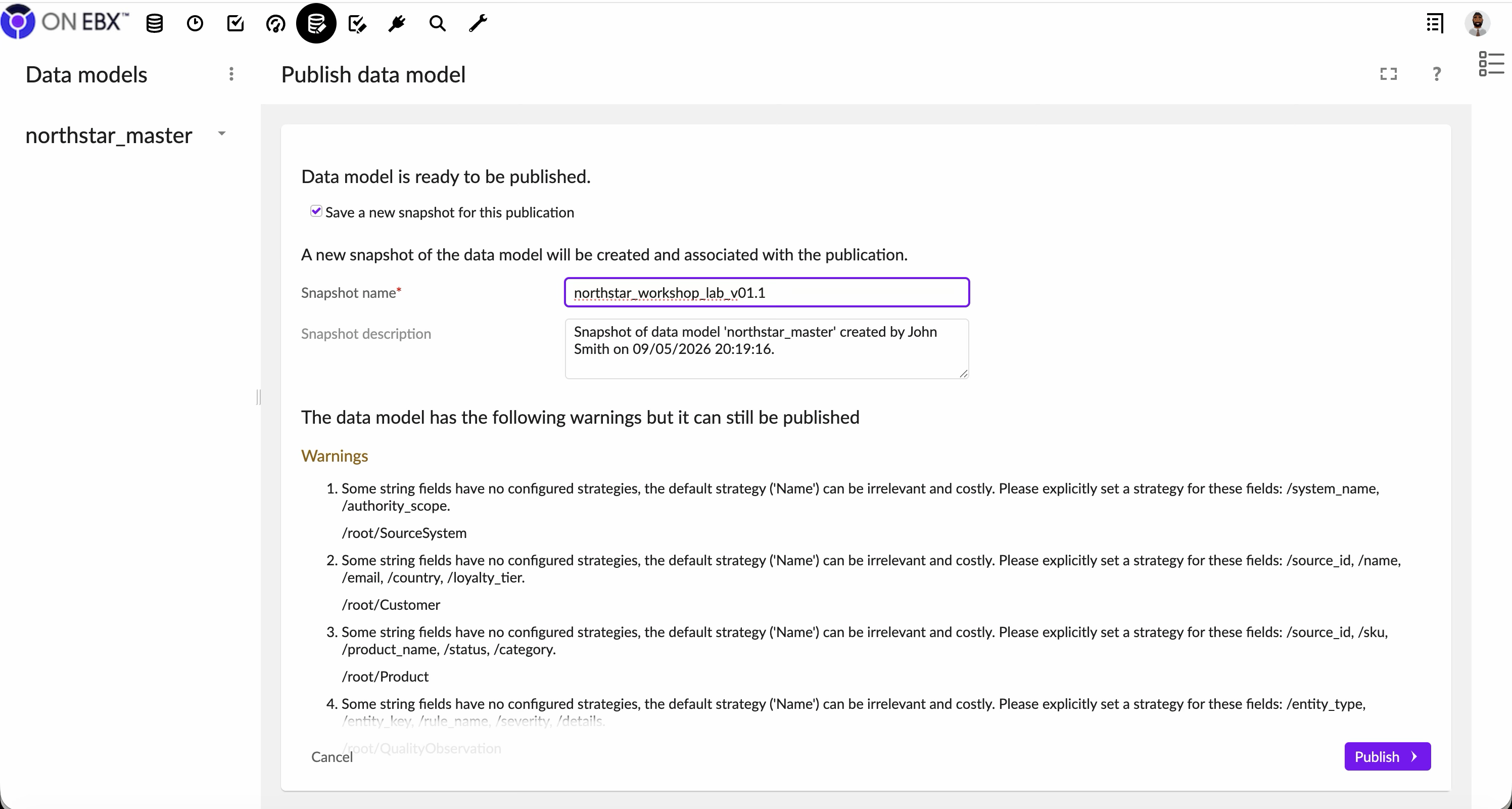
The captured publication reports non-blocking default-strategy warnings for several strings. In this isolated synthetic lab, record why they are accepted. In a production design, return to the model and configure deliberate search or indexing strategies instead of normalizing the warning.
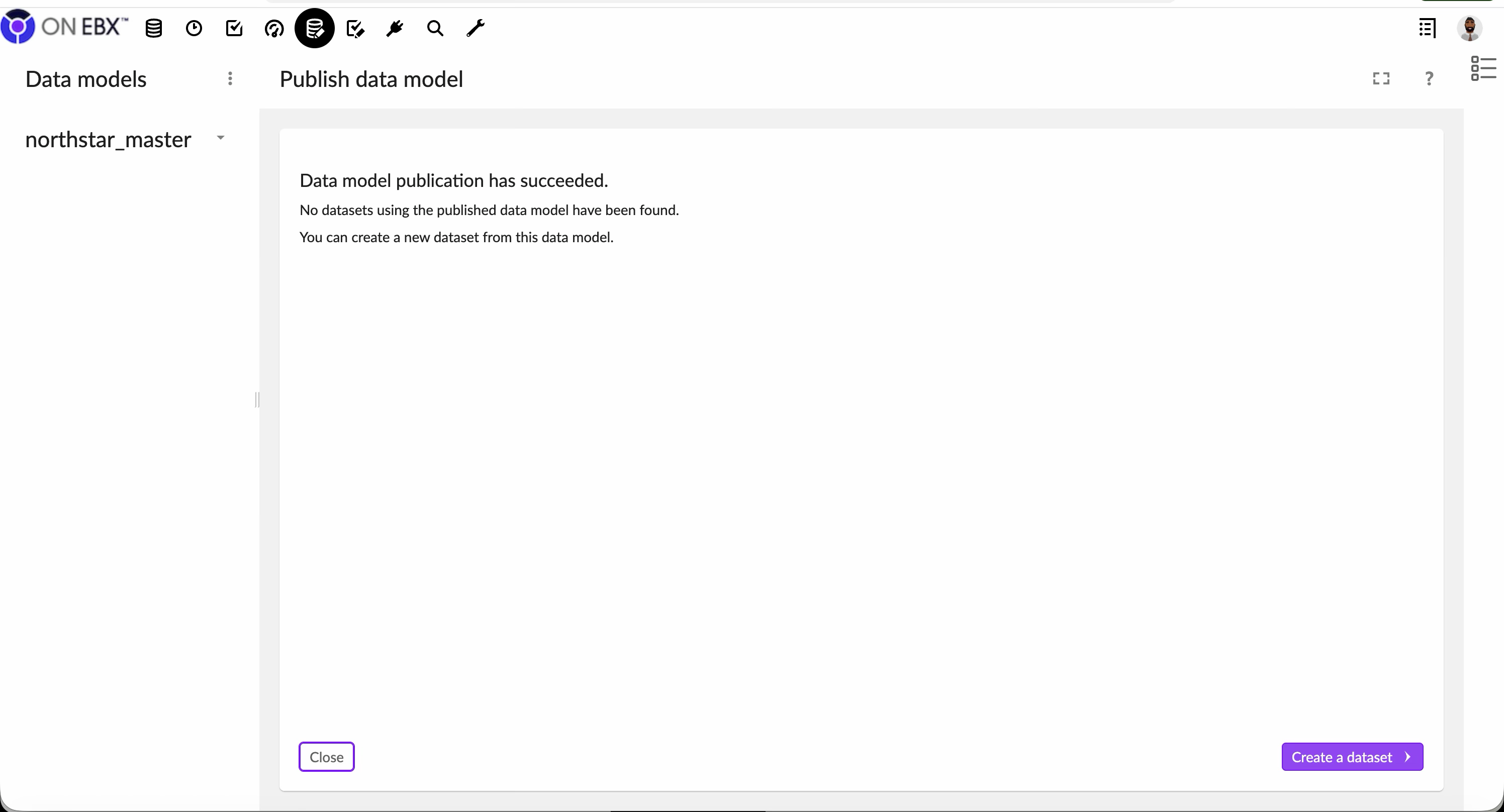
Expected result: The four tables are available from a successful first publication of northstar_master.
Validation: Reopen the published version and confirm that Customer, Product, SourceSystem and QualityObservation are present and that validation reports no blocking errors.
Design caution: These are intentionally minimal skeletons. Do not invent production-grade fields, matching rules or survivorship logic until the later modeling exercises establish their governance requirements.
Step 4 — Create the workshop dataset
- Keep
AIMDMWORKSHOPactive and open Data. - Choose the action to create a dataset from a published data model.
- Select the published
northstar_mastermodel, checking the version against the value captured in Step 3. - Enter
northstar_labas the dataset’s technical name and Northstar MDM Lab as its label. - Add a description stating that the dataset contains synthetic customer and product records for governed AI-readiness exercises.
- Review the target dataspace shown by the creation dialog; it must be
AIMDMWORKSHOP. - Create the dataset.
- Open it and confirm that the four expected tables are visible.
- Check that each table is empty before the synthetic records are loaded in a later exercise.
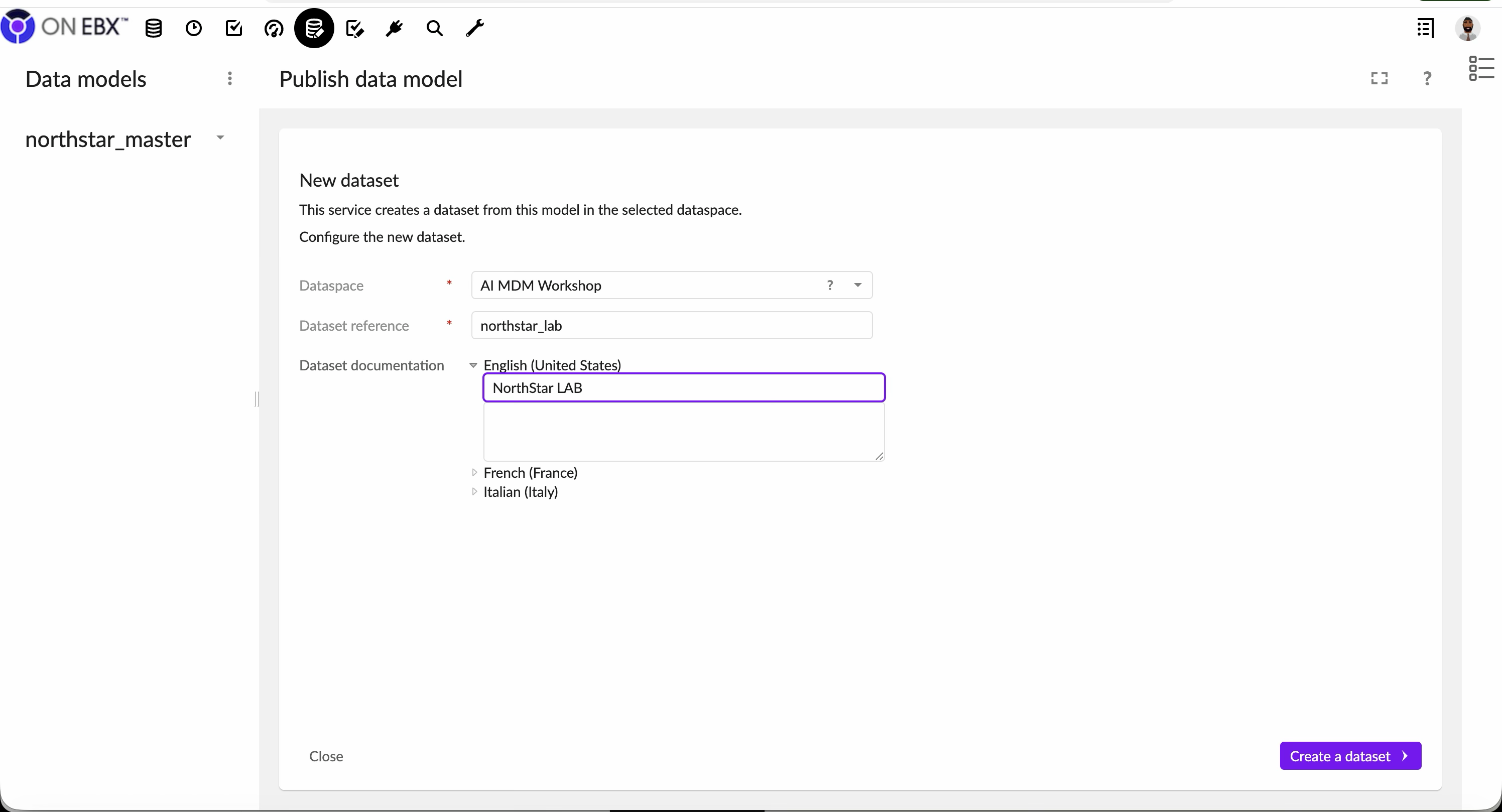
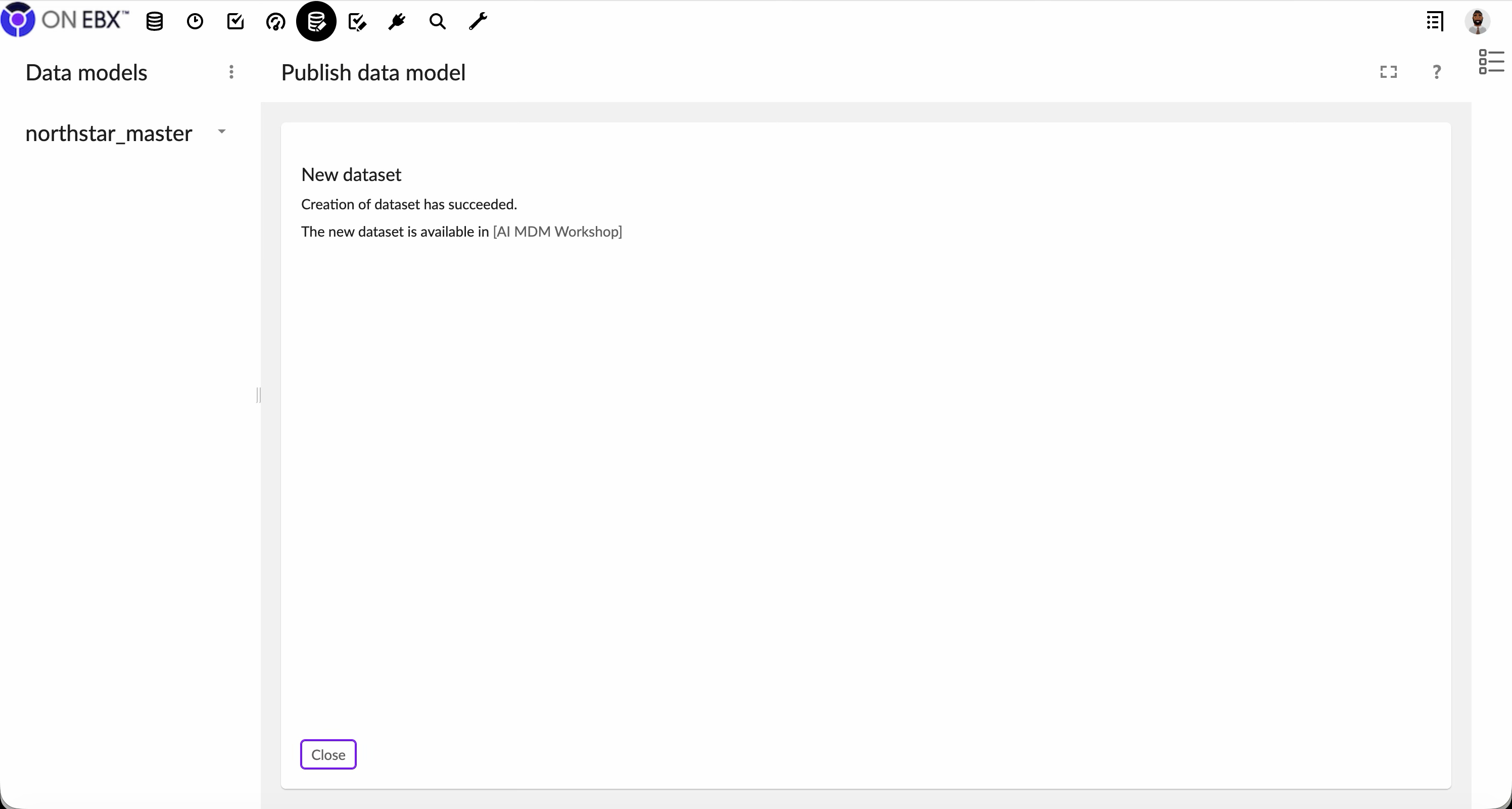
Expected result: Dataset northstarlab is bound to the recorded published version of northstarmaster inside the workshop dataspace.
Validation: From the dataset information or properties view, verify the model reference, active dataspace, creation timestamp and absence of production records.
Step 5 — Import the synthetic evidence in dependency order
- Import
SourceSystem.csvinto/root/SourceSystemfirst so foreign-key references can resolve. - Import
Customer.csvinto/root/Customer. - Import
Product.csvinto/root/Product. - Import
QualityObservation.csvinto/root/QualityObservation. - Before each import, use EBX simulation or preview and verify the target, mappings, and proposed record operations.
- Preserve the deliberately inconsistent source values; they are the evidence this workshop will govern.
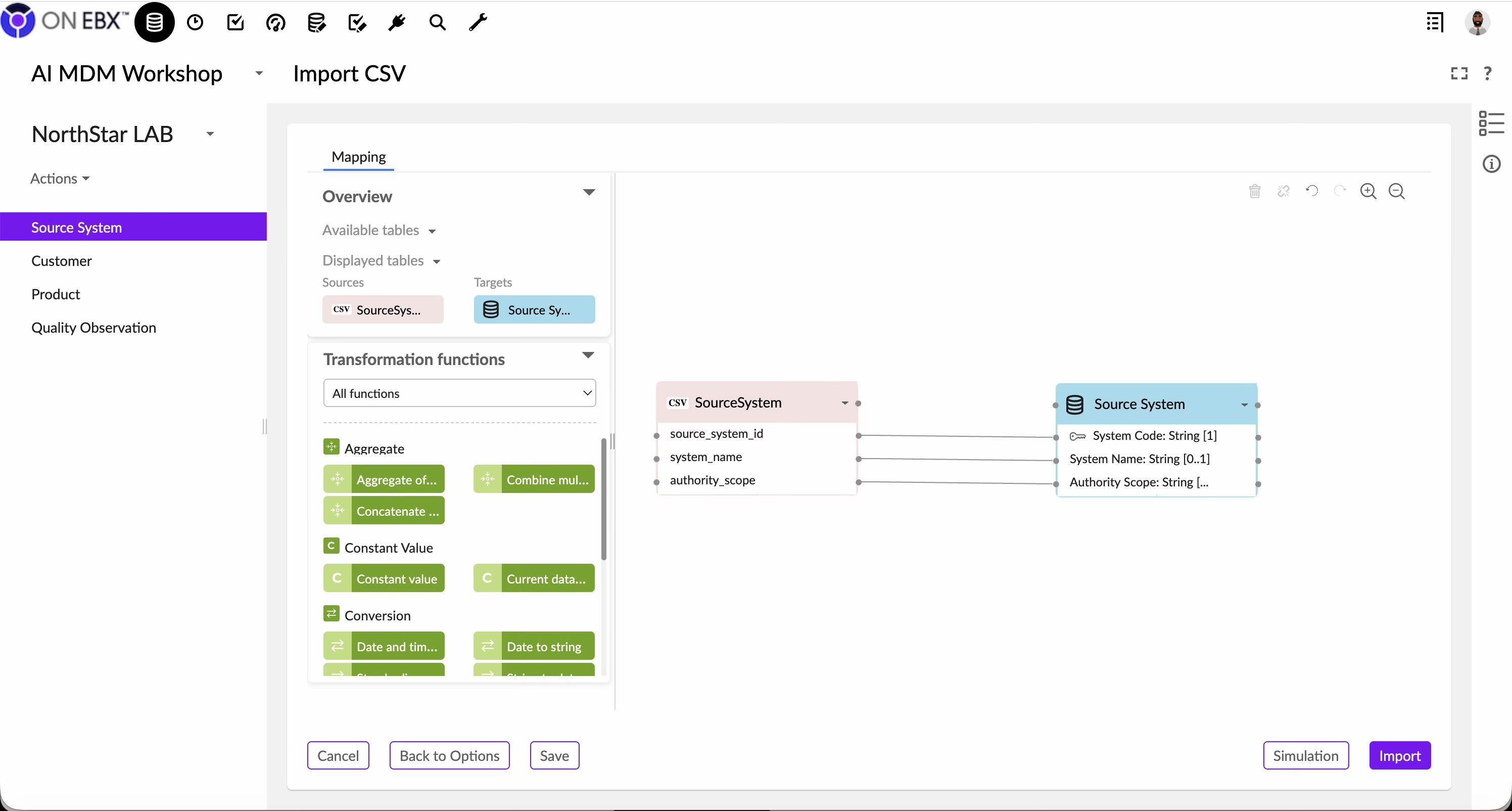
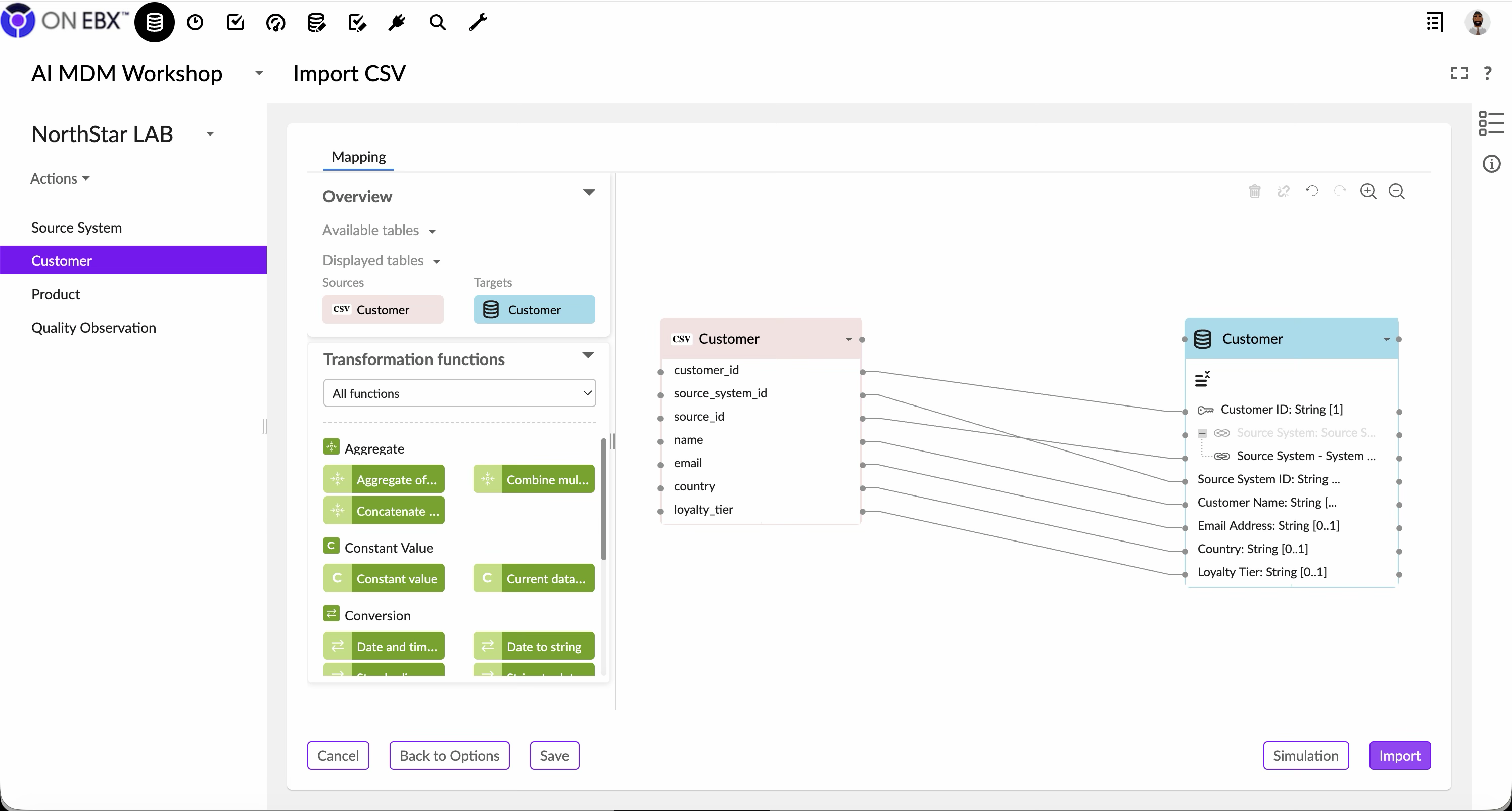
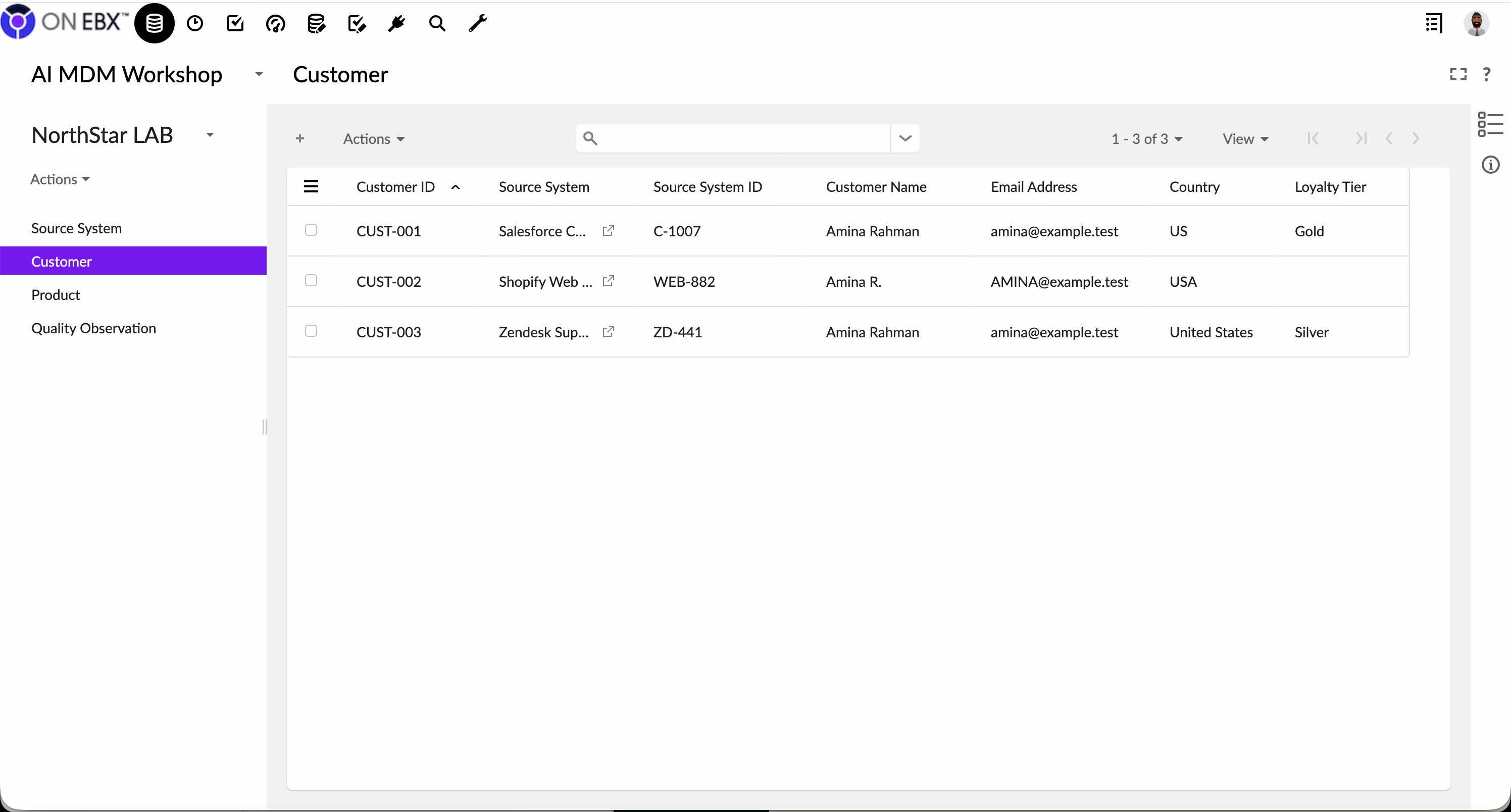
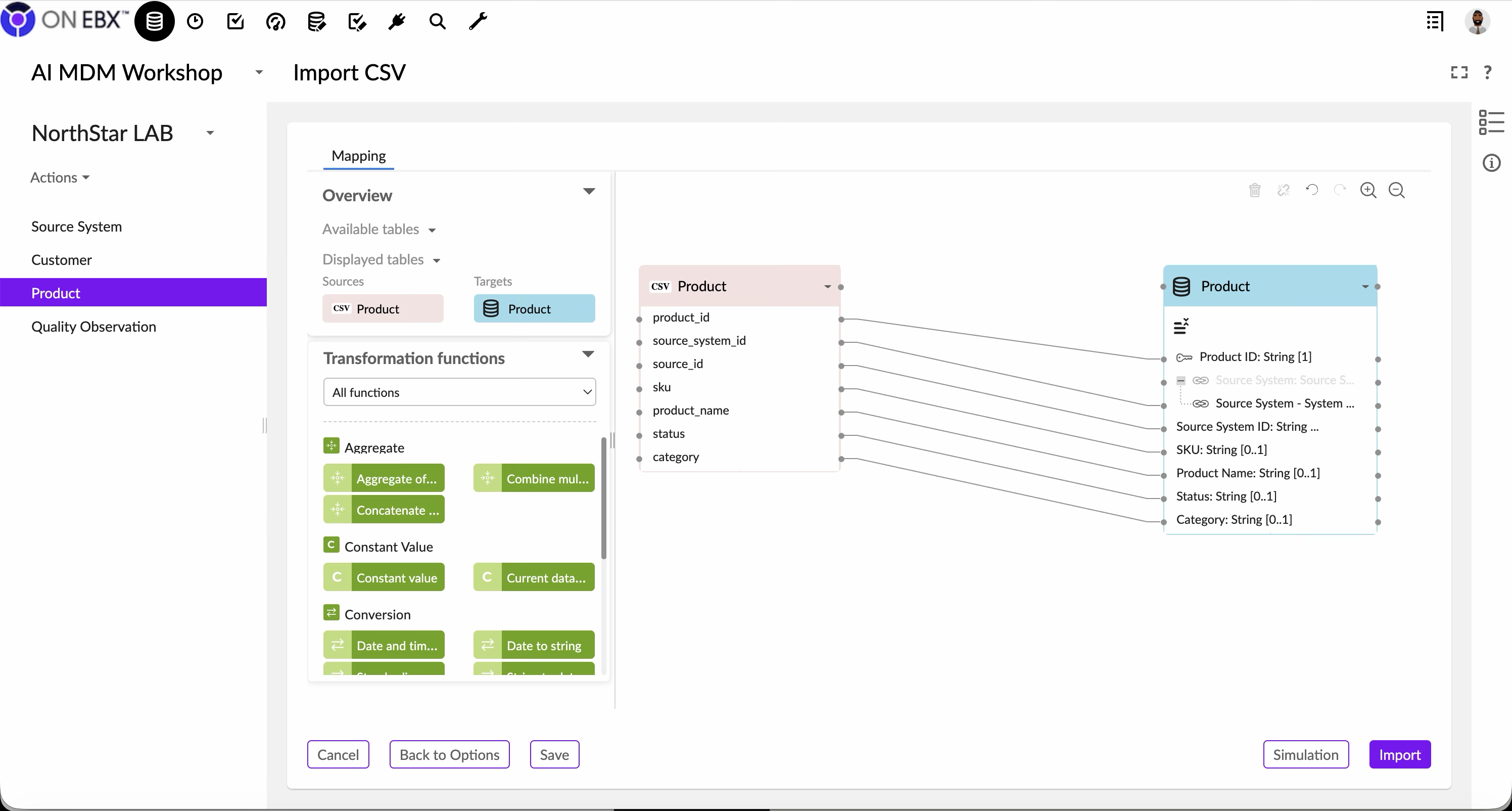
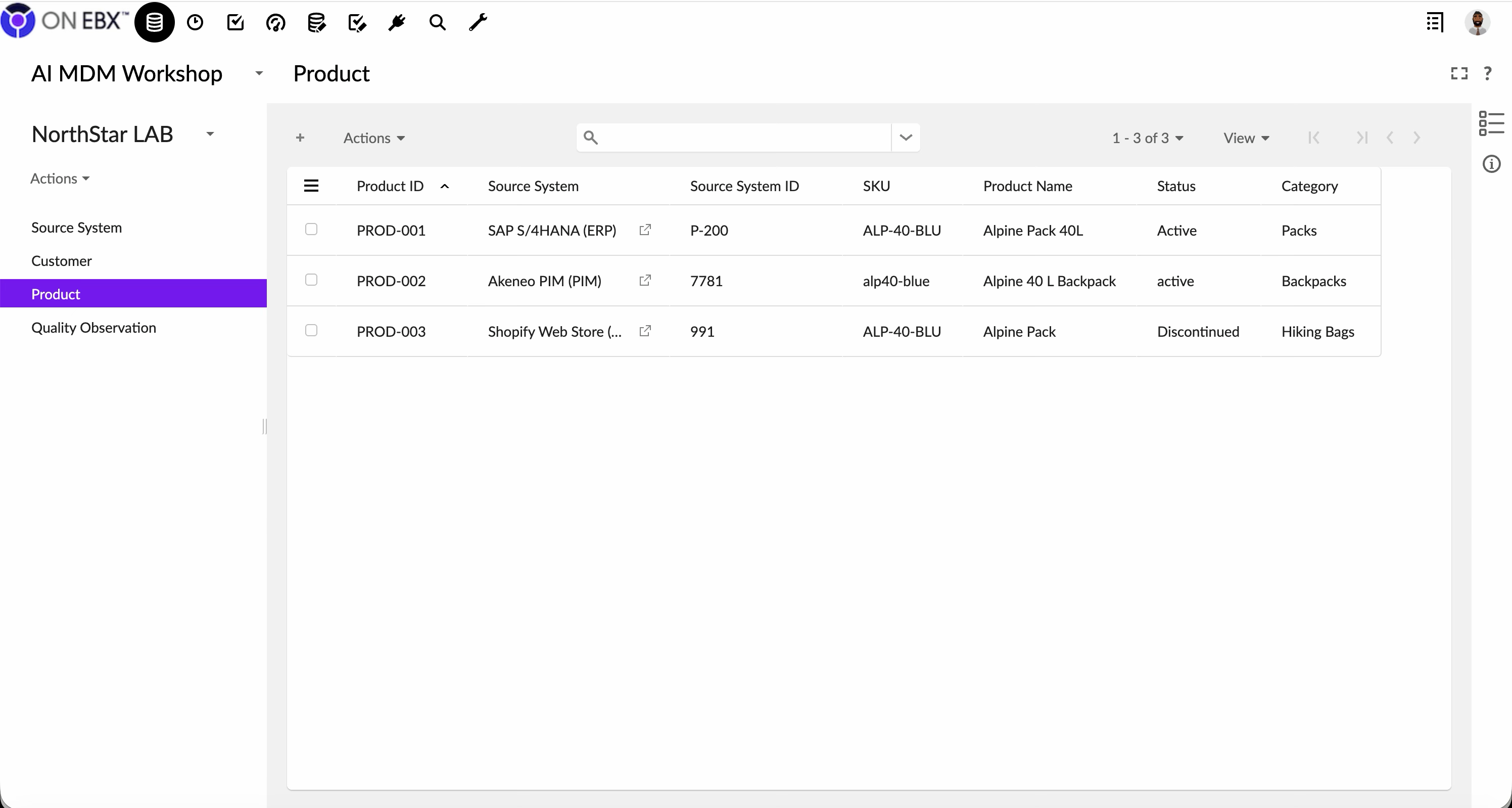
Expected result: SourceSystem contains five records, Customer three, Product three, and QualityObservation six. Validation: Reconcile counts and values against the CSV files. Stop/recovery: Cancel any simulation that targets the wrong table or proposes an unexpected destructive operation; correct the mapping and simulate again.
Step 6 — Record governance and consumption controls
- Create a governance entry for
northstar_labin the workshop README or your approved catalog. - Name one accountable domain owner for business decisions.
- Name the customer and product data stewards responsible for definitions and quality exceptions.
- State the purpose: a synthetic, non-production lab for MDM and AI-readiness training.
- Record the environment and classification as non-production and synthetic.
- List approved consumers, such as workshop participants and named test services.
- State that production AI assistants, analytics pipelines and downstream operational systems are prohibited consumers.
- Define a retention rule and a review or deletion date for the lab.
- Record prohibited data classes, including real personal, confidential, credential and production-derived data.
- Add the escalation contact and approval process for any requested scope change.
Expected result: Another authorized person can determine who owns the lab, why it exists, what it may contain, who may use it and when it must be reviewed or removed.
Validation: Ask a reviewer who did not create the lab to answer those five questions using only the governance entry. Any unanswered question is a documentation defect.
Step 7 — Capture the reproducibility anchor
- Record the EBX environment or instance name without copying credentials or sensitive connection details.
- Record the parent dataspace and the initial parent snapshot identifier from Step 1.
- Record the child dataspace technical name
AIMDMWORKSHOP. - Record the model name
northstar_master, its first publication version and publication timestamp. - Record the dataset name
northstar_laband its creation timestamp. - Record the EBX release, enabled perspective and any add-ons relevant to the workshop.
- Add the governance-entry location and the names or roles of the people who performed and reviewed the setup.
- Capture evidence using identifiers and exported configuration where permitted; do not use screenshots containing confidential navigation, users or data.
- Have a second participant verify each identifier directly in EBX.
- Mark the anchor complete only after the recorded objects can be reopened and cross-checked.
Expected result: The workshop can be repeated or audited against a precise parent snapshot, model publication and dataset—not merely against someone’s memory of the setup.
Final checkpoint: Confirm that no production merge, production publication or real-data ingestion has occurred. If any has occurred, stop the workshop and follow the organization’s incident and rollback procedure.
EBX defines a dataset as data held according to a published data model; later model publications update associated datasets. Dataspaces isolate versions and can be compared and merged back to a parent. That pairing—model plus lifecycle boundary—is the foundation of the lab.
Baseline scorecard
Before fixing anything, calculate:
- completeness: populated required values / expected required values;
- validity: values passing declared rules / inspected values;
- uniqueness: distinct candidate identities / total records;
- consistency: records agreeing with controlled reference values / inspected records;
- freshness: records updated within the domain’s service level;
- traceability: values with source and timestamp / mastered values.
The baseline must distinguish observed evidence from assumptions. The corrected profile is:
| Dimension | Customer result | Product result | Interpretation |
|---|---|---|---|
| Business-field completeness | 94.4% (17/18) | 100% (18/18) | One customer loyalty tier is missing. Technical identifiers are reported separately. |
| Declared lexical validity | 33.3% (1/3 countries) | 66.7% (2/3 SKUs) | US passes the workshop country rule; USA and United States do not. One SKU violates the uppercase convention. |
| Normalized candidate-identity uniqueness | 33.3% | 33.3% | After the workshop normalizations, three rows collapse to one candidate customer and one candidate product. This is a diagnostic, not a mastered-entity decision. |
| Unanimous source agreement | 0% | 0% | Loyalty tier and product lifecycle status do not have unanimous non-null agreement. |
| Freshness | Not measurable | Not measurable | The seed records have no source-event or synchronization timestamps. Missing evidence is not the same as zero freshness. |
| Record-level source provenance | 100% | 100% | Every candidate has a source system and source record identifier. |
| Temporal traceability | Not measurable | Not measurable | Provenance timestamps and consolidation lineage have not yet been modeled. |
Do not compress these results into one “data quality score.” Each denominator, rule, and normalization must remain visible. Loyalty agreement is unresolved—not “50% accurate”—and record-level provenance does not prove temporal lineage.
Governance and AI design questions
- May an assistant use a mastered email, or only a pseudonymous customer key?
- Does a low-confidence match enter retrieval automatically?
- Which source is authoritative for product status, and does authority vary by market?
- How will an AI answer cite the mastered entity version it used?
- What happens when a user exercises deletion or correction rights?
Write answers as policies that can be tested. “Use trusted data” is not a policy.
Validation checklist
- Not completed: Workshop changes are isolated in a child dataspace.
- Not completed: An initial snapshot and model version are recorded.
- Not completed: Synthetic records contain no real personal data.
- Not completed: Domain owner and stewards are named.
- Not completed: Six baseline quality dimensions are calculated.
- Not completed: AI consumers and restricted attributes are documented.
- Not completed: No production merge or publication has occurred.
Common failure modes
Starting with matching software. Without an identity policy, a score only automates ambiguity. Define the entity first.
Calling a consolidated record “truth.” A golden record is the best governed representation available at a point in time—not metaphysical truth.
Measuring only completeness. A fully populated false value can be more dangerous than a visible null.
Letting the AI read staging data. Landing and suspect zones exist precisely because their records are not ready for broad consumption.
Takeaway
AI raises the cost of unresolved identity, semantics and provenance. The answer is not merely cleaner rows; it is a governed entity lifecycle with explicit evidence and consumption controls.
Next
Part 2 turns this contract into an AI-ready EBX architecture: zones, dataspaces, permissions, model boundaries and publication interfaces.

Historical comments from Datanizant
No public comments on this article
No approved public comments were included in the WordPress export for this article.