A data center consolidation strategy isn't just about tidying up your IT closets anymore. It's a critical business decision that directly impacts your bottom line, security posture, and ability to adapt.
At its core, consolidation is the methodical process of reducing your IT assets and physical server locations. This often means migrating workloads to more efficient environments, whether that’s the cloud or a modernized on-premise platform. The goal is to finally get rid of all that redundant or underutilized infrastructure that naturally builds up as a company grows.
Why Your Data Center Consolidation Strategy Matters Now

The sheer volume of data today is pushing legacy IT infrastructure to its breaking point. Many organizations are juggling a sprawling collection of aging servers spread across multiple facilities. This "server sprawl" is often the unintended consequence of years of mergers, acquisitions, or just organic but unplanned growth, and it creates challenges that go far beyond a messy server room.
Actionable insight: Establish a measured baseline before proposing savings. Record facility, hardware, software, staffing, network, migration, dual-running, decommissioning, and contract-exit costs. Without that baseline, footprint-reduction and security-improvement percentages are projections rather than verified outcomes.
The Modern Pressures Driving Consolidation
The push to consolidate is coming from all sides, fueled by powerful business and technological forces. It's no longer just an IT-led initiative; it's a strategic response to what the market demands.
Here’s a quick look at the main drivers pushing companies toward consolidation.
| Driver | Business Impact | Technical Challenge |
|---|---|---|
| Soaring Costs | High energy bills, expensive real estate, and extensive maintenance drain the IT budget. | Legacy hardware is power-hungry and requires specialized, often costly, support. |
| Demand for Agility | Slow infrastructure deployment stalls innovation and prevents quick responses to market changes. | Siloed, outdated systems can't support modern applications like AI and machine learning. |
| The Shift to Cloud | Businesses need to integrate cloud services without creating more complexity or security gaps. | Deciding which workloads to move to the cloud requires a clear understanding of the existing on-premise estate. |
| Security Risks | A distributed, aging infrastructure has a larger attack surface and is harder to secure and patch. | Inconsistent security policies and monitoring across multiple sites create blind spots for threats. |
These drivers show that consolidation is about more than just saving money. It’s about building a leaner, more secure, and more agile foundation for the business.
Energy and facility costs can be important consolidation drivers, but market-size forecasts and global power-growth figures do not predict savings for an individual estate. Measure workload demand, IT-equipment energy, total facility energy, cooling, utilization, and local tariffs. PUE is useful for facility overhead, but it does not by itself measure application efficiency or total business value.
Then there's the demand for business agility. Modern applications require infrastructure that is flexible and can scale on demand. Old, siloed data centers simply can't provide the speed needed to innovate and compete.
And of course, there's the massive shift to cloud services. As organizations embrace digital platforms, a hybrid model often makes the most sense. Consolidating on-premise resources is usually the first crucial step in developing effective cloud computing strategies, as it forces you to take stock and decide which workloads truly belong in the cloud.
A data center consolidation strategy is not merely an infrastructure project. It's a fundamental shift that realigns your IT environment with your core business objectives, enabling growth, security, and efficiency in an increasingly competitive world.
A well-executed consolidation can reduce duplicated infrastructure and simplify some operations, but savings, agility, resilience, and security must be demonstrated independently. Concentrating workloads can also increase blast radius, shared-failure risk, and vendor dependency if the target architecture lacks appropriate isolation and recovery controls.
Laying the Groundwork for a Successful Consolidation
Every great data center consolidation project starts long before you unplug a single server. It begins with data. You can't optimize what you don't measure, and a successful strategy is built on a deep understanding of how your resources are actually being used—not just a simple server count.
This initial audit is, without a doubt, the most critical phase. If you skip this part or rush through it, you're flying blind. You risk making costly assumptions, triggering unexpected downtime, or completely missing the project's goals. It means getting your hands dirty and looking at everything, from that ancient piece of hardware humming in the corner to the complex web of application dependencies.
Conducting a Comprehensive Environment Audit
The first real step is to build a complete inventory of every single asset in your data centers. I'm not just talking about a spreadsheet with server names. You need to know their purpose, their performance, and how they all talk to each other. It’s in this phase that most organizations uncover a graveyard of "zombie servers"—machines burning power and taking up rack space but serving no real business function.
Practical Example: A manufacturing company used a combination of tools to get a holistic view. They paired a Data Center Infrastructure Management (DCIM) tool to map their physical assets with an Application Performance Monitoring (APM) solution to understand application dependencies. This combination was powerful because it revealed that their ERP system was communicating with an old, forgotten database server that was no longer in use—a perfect candidate for immediate decommissioning.
- Hardware and service inventory: Record ownership, support status, CPU, memory, storage, network, energy, licensing, backup, and lifecycle constraints. Age alone does not determine whether a system should be retired.
- Application dependency mapping: Map databases, identity, DNS, certificates, queues, APIs, scheduled jobs, network flows, external partners, and operational tooling. Dependency groups should inform migration waves.
- Performance baselines: Measure utilization, latency, throughput, IOPS, error rates, availability, recovery requirements, and seasonal peaks. A low average CPU value is not sufficient evidence that a server is unused or safe to decommission.
Once you have this detailed analysis, you can start categorizing your assets logically. Group applications and infrastructure by business function, criticality, or technical needs. This simple step will make the later stages of planning your migration so much easier.
Aligning Stakeholders and Defining Clear Objectives
A data center consolidation is never just an IT project. It’s a full-blown business initiative that needs buy-in from multiple departments. Get stakeholders from IT, finance, and various business units in a room early. Your goal is to define clear, measurable objectives that actually line up with what the company is trying to achieve.
Without this alignment, you risk a project that looks great on a technical level but delivers zero business value. The conversation has to move beyond jargon and focus on real outcomes. Sure, your main goal might be a straightforward reduction in operational expenditure (OpEx), but there are often other powerful drivers at play.
Here are a few common objectives we see:
- Cost Reduction: This is the big one. The goal is to slash spending on power, cooling, real estate, and hardware maintenance. It's often about shifting from long-term capital expenses to a more flexible, pay-as-you-go model.
- Recovery and continuity: Design the target against business-impact analysis, recovery-time objectives, recovery-point objectives, failure domains, backup requirements, and tested restoration procedures. Fewer sites can simplify operations but can also reduce redundancy.
- Enabling a Cloud-First Initiative: A thorough audit of your on-premise assets is the perfect first step to figuring out which workloads are ready for the public, private, or hybrid cloud.
- Security and compliance: Use the program to standardize identity, segmentation, logging, patching, encryption, configuration, and evidence collection. A smaller physical footprint does not automatically create a smaller logical attack surface.
Once you’ve settled on these high-level goals, it's time to get tactical. Create a visual timeline, assign responsibilities, and make sure everyone knows their role and the key milestones. To help structure this crucial planning phase, you can find a useful guide in our technology roadmap template. It's a great framework for turning your consolidation objectives into an actionable plan that keeps everyone aligned and informed.
Designing Your Consolidation Blueprint
With a thorough audit behind you, you have a crystal-clear picture of your current environment. Now it's time to design the future. This blueprinting phase is where your high-level goals start to take shape as a specific, actionable model for your new infrastructure.
Choosing the right consolidation model isn't a one-size-fits-all affair. The best path forward depends entirely on your unique business needs, how much risk you're willing to take on, and your long-term vision. Three primary models tend to dominate the conversation, each with its own set of distinct advantages.
The Physical-To-Virtual (P2V) Model
One of the most tried-and-true consolidation methods is physical-to-virtual (P2V) conversion. This is all about migrating workloads from dedicated physical servers onto virtual machines (VMs) that run on a smaller number of much more powerful host servers. The main goal here is simple: drastically shrink your physical footprint and get more out of your hardware.
Planning note: P2V ratios must come from measured capacity, peak demand, availability targets, licensing rules, storage and network constraints, and host-failure scenarios. Consolidating many servers onto too few hosts without headroom or fault-domain design can turn efficiency gains into a resilience problem.
This approach is perfect for organizations that want to keep direct control over their hardware but are desperate to boost efficiency and make management easier. It's often the first big step toward building a private cloud.
Migrating Workloads to the Cloud
Cloud migration is one possible consolidation outcome, not a synonym for consolidation. Workloads may be retained, retired, rehosted, replatformed, refactored, replaced, or relocated. Public-cloud pricing is consumption based, but total cost also includes network transfer, managed services, support, security, operations, and migration or exit work.
Actionable Insight: A classic scenario is a business moving its non-critical development and testing environments to the cloud first. This move frees up valuable on-premise resources for the core, mission-critical applications that might have stricter security or compliance rules. As you modernize your setup, designing and implementing things like S3 real-time data pipelines can become a central piece of your new, consolidated data platform in the cloud.
The cloud offers scalability and agility that are hard to beat, but it demands careful planning around security, cost management, and really understanding the different service models. To get the most out of it, you need to explore various cloud architecture patterns to make sure your design is resilient, secure, and cost-effective right from the get-go.
The Colocation Option
There's a third path that offers a happy medium: colocation. In this setup, you still own and manage all your servers, storage, and networking gear, but you lease space in a third-party data center. This lets you get out of the business of managing a physical building—no more worrying about power, cooling, or physical security—while keeping full control over your hardware.
Colocation can reduce responsibility for facility power, cooling, and physical controls while preserving ownership of hardware. The customer still owns substantial responsibilities for architecture, operating systems, identity, patching, data protection, network design, hardware lifecycle, and recovery. Provider capabilities, contracts, locations, connectivity, and assurance evidence must be evaluated rather than assumed.
Choosing the right model is a strategic balancing act. You're weighing control against convenience, capital expenditure against operational expenditure, and current needs against future flexibility. The blueprint you create here will define the success of your entire data center consolidation strategy.
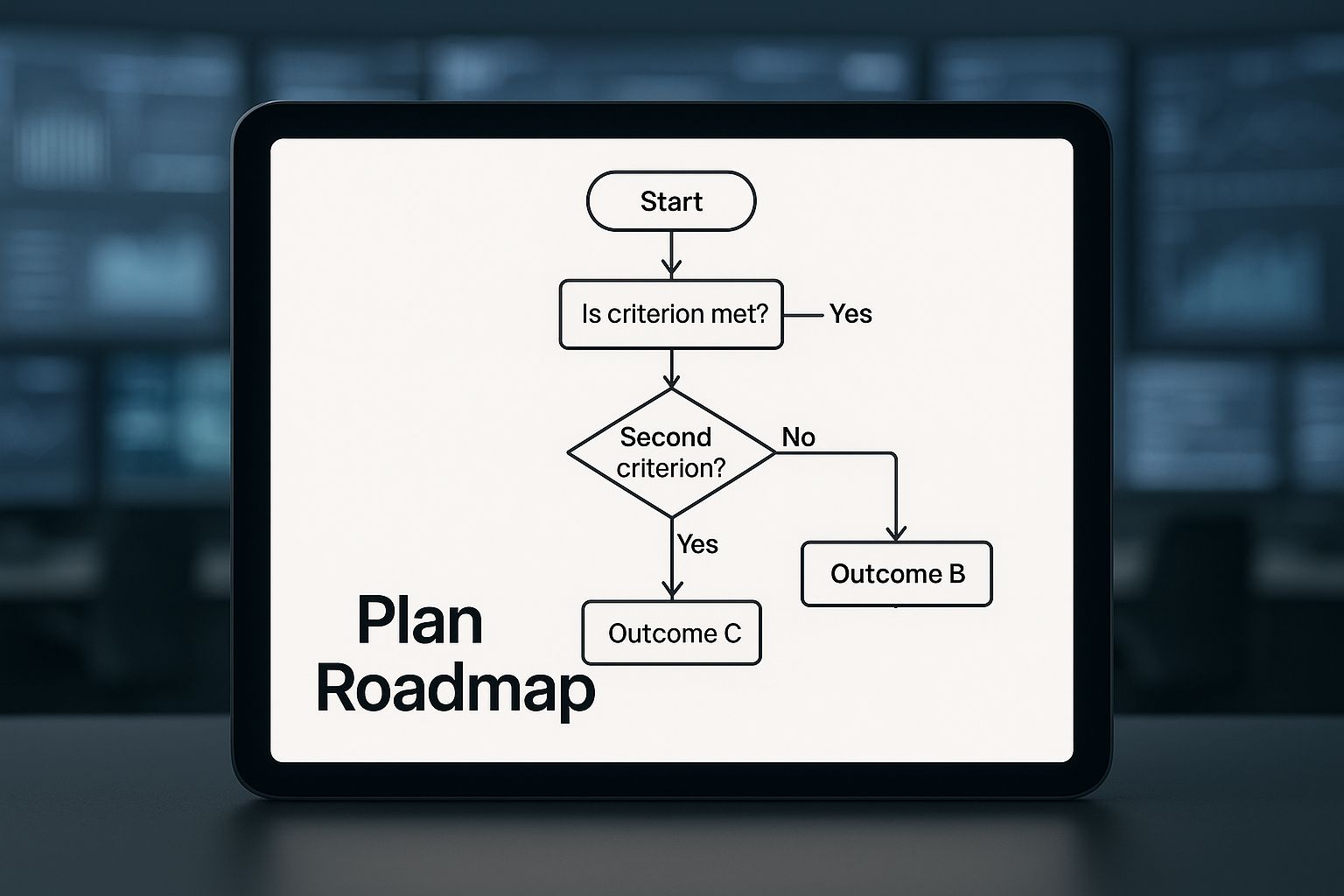
This decision-making process is a critical part of building your roadmap. The infographic below provides a simplified framework to help guide your choice based on key business drivers.
This visual roadmap helps illustrate how factors like control, scalability, and cost influence the path you take toward your ideal consolidated state.
A Framework for Making the Right Choice
To build your blueprint, you need a structured way to make a decision. This isn't about picking what's trendy; it's about selecting the model that perfectly aligns with the objectives you defined in the first place. As you weigh your options, think through these factors.
- Security and compliance obligations: Translate applicable laws, contracts, standards, residency rules, and risk tolerances into controls and evidence requirements. HIPAA and PCI DSS do not inherently require a private-cloud or colocation deployment; suitability depends on the complete control design and shared-responsibility model.
- Performance and Latency Requirements: Are your applications super sensitive to latency? Keeping them on-premise or in a strategically located colocation facility might be the only way to guarantee the performance your users expect.
- Budget and Financial Model: Are you trying to shift from capital expenses (CapEx) to operational expenses (OpEx)? The cloud's pay-as-you-go model is perfect for this, whereas a P2V project might require a significant upfront hardware investment.
- In-House Expertise and Resources: Does your IT team have the chops to manage a virtualized environment or a complex cloud deployment? The answer will heavily influence which model is actually feasible without a ton of retraining or new hires.
By methodically working through these questions, you can craft a detailed migration plan with clear timelines, assigned responsibilities, and a well-defined end-state. This blueprint is your guide for the entire execution phase, ensuring every action you take moves you closer to your consolidation goals.
Executing the Migration with Minimal Disruption
Alright, this is where the rubber meets the road. All that careful planning and blueprinting now gets put into action. Executing the migration is the most hands-on part of any data center consolidation, and your primary goal is simple but absolutely critical: move everything without breaking anything.
Success here boils down to a methodical, risk-averse approach that puts stability far ahead of speed.
A single cutover can be appropriate for a small, tightly coupled system, but it concentrates risk. Large portfolios are usually easier to govern in dependency-aware migration waves with explicit entry criteria, validation, rollback criteria, and accountable workload owners.
Phasing the Migration for Maximum Safety
A phased approach is your best friend. It lets your team learn, adapt, and build confidence with each step. The key is to start with applications and systems that carry the lowest business risk. Think of it as a live-fire exercise. This strategy creates a real-world test bed for your entire process, allowing you to iron out any kinks before you even think about touching mission-critical systems.
Practical Example: A perfect candidate for the first migration wave might be an internal-facing, non-critical app like a documentation portal or a development sandbox. Moving this first lets you validate your entire workflow—from data replication to final cutover and user acceptance testing—in a low-pressure scenario. If something goes wrong, the business impact is minimal, but the lessons learned are priceless.
A typical migration wave sequence often looks something like this:
- Pilot Wave (Low Risk): Start with internal tools, dev/test environments, and non-essential departmental applications.
- Second Wave (Moderate Risk): Move on to important but not mission-critical business apps, like internal collaboration platforms or secondary analytics systems.
- Final Waves (High Risk): This is for the heavy hitters—your ERP, customer-facing applications, and primary production databases.
This tiered method ensures that by the time you get to your most important workloads, your team has a proven, battle-tested process locked down. It's all about systematically de-risking the entire project.
Choosing the Right Tools for the Job
The right tools can be the difference between a smooth transition and a weekend of chaos. Your choice will depend heavily on the consolidation model you decided on back in the blueprinting phase. Fortunately, there are mature, powerful tools out there for just about every scenario.
Select migration tooling only after choosing the workload disposition and target. Product names and availability change: AWS Server Migration Service is no longer the current service; AWS now documents AWS Transform MGN for rehosting physical and virtual servers. Azure and other providers maintain their own current discovery and migration services. Verify support, licensing, replication behavior, encryption, rollback, and target compatibility in the vendor’s current documentation.
The goal isn't just to move data; it's to move entire functioning systems with their configurations, dependencies, and performance characteristics intact. The right migration tool automates this complexity, significantly reducing the potential for human error.
Whatever tool you land on, make sure it supports your key requirements for minimal disruption, like live replication and the ability to perform non-disruptive testing.
Avoiding Common Pitfalls and Mitigating Risk
Migrations can introduce downtime, data loss, inconsistency, performance regression, security-control gaps, dependency failures, and unexpected cost. Good preparation reduces likelihood and impact; it cannot make every failure impossible.
First, thorough pre-migration testing is non-negotiable. This means setting up a sandboxed, isolated environment that mirrors your target infrastructure. Here, you perform a full dry run of the migration. It’s your chance to validate application functionality, check for performance issues, and confirm that all data transferred correctly. This step is your ultimate safety net.
Your other critical safeguard is a detailed and validated rollback plan. You absolutely must have a clear, step-by-step procedure to revert to the original state if the migration fails or if post-cutover testing reveals critical issues. This plan needs to be tested just as rigorously as the migration itself. Knowing you can quickly and safely hit the "undo" button gives your team the confidence to move forward.
Many organizations get tripped up here, and understanding the common cloud migration challenges can help you get ahead of these hurdles before they derail your project.
By adopting a phased approach, using the right tools, and embedding rigorous testing and rollback procedures into your workflow, you can navigate the execution phase smoothly and finally realize the full benefits of your consolidation strategy.
Measuring Post-Consolidation Success
You’ve migrated the last server and powered down the old hardware. Mission accomplished, right? Not quite. The real proof of a successful data center consolidation strategy comes after the project is technically "done." This is the moment you validate that all the effort actually delivered on its promises.
This is where all that meticulous baseline data you gathered during the initial audit becomes your most valuable asset. The goal now is to track your new environment’s performance against those original benchmarks. This isn't just about patting yourselves on the back; it's about quantifying success and showing leadership a clear return on their investment.
Validating Success with Key Performance Indicators
The most direct way to measure your project's impact is by monitoring a specific set of key performance indicators (KPIs). These metrics provide the hard data you need to prove improvements in efficiency, cost, and performance. This is how you move the conversation from "we think it's better" to "we know it's better."
Here are the critical metrics I always focus on:
- Power Usage Effectiveness (PUE): PUE is total facility energy divided by IT-equipment energy, and values approaching 1.0 indicate lower facility overhead. Compare consistently measured periods and boundaries. Pair PUE with useful-work, utilization, carbon, water, reliability, and cost measures because PUE alone does not prove application efficiency or savings.
- Server Utilization Rates: Track the average CPU, memory, and storage usage across your new virtualized or cloud environment. If your utilization rates are higher, it means you're squeezing more value out of every single piece of hardware you're paying for. No more zombie servers.
- Application Latency and Response Times: Performance can't take a hit. You need to ensure that application performance has either improved or, at the very least, stayed consistent. This validates a positive end-user experience and proves the consolidation didn't compromise service quality.
- Operational Cost Reduction: This is the metric that gets the C-suite's attention. Tally up the direct savings from power, cooling, real estate leases, and expensive hardware maintenance contracts you no longer need. The numbers often speak for themselves.
The real power of a data center consolidation strategy lies in continuous improvement. The goal is not just to consolidate, but to create a leaner, more agile foundation that evolves with the business.
From Measurement to Continuous Optimization
Tracking these KPIs isn't a one-and-done activity. The insights you gather should kick off a cycle of continuous optimization. A consolidated environment is certainly easier to manage, but it still requires active tuning to deliver its full potential.
Practical Example: The ROI Dashboard
One of the best tools for this is a simple performance dashboard. Using a tool like Grafana or Power BI, you can create a visual, real-time display of your key metrics. This dashboard becomes your single source of truth for showing ROI to executives. Imagine showing a chart that compares pre- and post-consolidation energy costs, instantly highlighting thousands in monthly savings. It’s incredibly effective.
This ongoing process should include a few key activities:
- Right-Sizing Resources: Keep a close eye on your virtual machines and cloud instances. Are they over-provisioned? Scaling down oversized instances is one of the quickest wins for cutting costs.
- Validating security controls: Reassess access, segmentation, logging, vulnerability management, backup, key management, and incident response in the target environment. Consolidation changes trust boundaries and concentration risk; it is not inherently more secure.
- Automating Operations: With fewer moving parts, you can now automate routine tasks like provisioning, scaling, and monitoring. This frees up your IT team from mundane work and allows them to focus on more strategic initiatives.
This mindset of ongoing improvement dovetails perfectly with broader IT goals. Once your consolidated environment is stable and optimized, you can start exploring more advanced cloud cost optimization strategies to drive even greater efficiency. It reinforces the idea that consolidation wasn't just a project—it was the start of a new, smarter way of operating.
Common Questions About Data Center Consolidation
Even the most meticulously planned consolidation strategy will hit a few bumps. Thinking ahead about the common questions and sticking points is the best way to keep your project moving forward without any major surprises. Let's walk through some of the questions I hear most often from teams in the thick of it.
What Are the Biggest Risks in a Consolidation Project?
Without a doubt, the biggest risks are unplanned downtime, data loss, and post-migration performance issues. One bad move can directly impact your customers and put a serious dent in your company's credibility. Mitigation isn't just a buzzword here; it's everything.
Actionable Insight: The single best way to protect yourself is to completely ditch the "big bang" cutover. Instead, break the project into smaller, manageable phases. Start with low-risk, internal-facing applications. This lets you test and fine-tune your migration process in a live environment without betting the entire business on it.
And before you even think about touching a server, you need multiple, validated backups of everything. Even more critical is having a detailed rollback plan that you've actually tested. Knowing you can hit the "undo" button and be back to the previous state in minutes is a huge safety net. This kind of planning is fundamental to business continuity, much like the protocols outlined in a solid disaster recovery planning template.
How Do You Calculate the ROI of a Consolidation Strategy?
Calculating the Return on Investment (ROI) is how you get—and keep—your executive sponsors on board. It’s really just a straightforward comparison of what you'll save versus what you have to spend.
First, let's look at the savings side of the equation. Tally up the clear wins:
- Reduced costs for hardware maintenance contracts.
- Lower monthly power and cooling bills (OpEx).
- Decreased software licensing fees from servers you're shutting down.
- Savings from any data center leases you can terminate.
Next, add up the upfront investment costs:
- Purchases of new hardware and software.
- Fees for migration tools or professional services.
- Costs for team training or bringing in specialized contractors.
A simple ROI expression is (benefits − investment) / investment, but the model should also show timing, discounting where material, uncertainty ranges, dual-running costs, residual commitments, risk, and the assumptions behind projected benefits. There is no defensible universal 18–36 month payback period.
Should We Consolidate to a Private Cloud, Public Cloud, or Colocation?
This is one of those big strategic decisions where there’s no single "right" answer. It all boils down to your specific business needs, your security and compliance posture, and your financial model.
A private cloud can offer dedicated infrastructure and greater direct control over selected layers, but the organization also carries more responsibility for capacity, lifecycle, security, and operations. Compliance depends on controls and evidence, not the deployment label.
A public cloud offers elastic services and consumption-based pricing, but neither unlimited scalability nor lower cost is automatic. Architecture, quotas, data gravity, egress, resilience, security, operational maturity, and exit requirements belong in the decision.
Colocation is the happy medium. You still own and manage your own servers, but you house them in a specialized third-party facility. This lets you offload the massive headache of managing power, cooling, and physical security.
Decision rule: Choose a destination per workload using business criticality, dependencies, latency, data classification, resilience objectives, skills, cost, contractual obligations, and modernization value. Hybrid designs are common, but they add network, identity, observability, governance, and operating complexity that must be planned explicitly.
Primary references
- Microsoft Cloud Adoption Framework: plan migration waves and rollback
- AWS Transform MGN: current migration service guidance
- NIST SP 800-34 Rev. 1: contingency planning and business-impact analysis
- ENERGY STAR: Power Usage Effectiveness definition
Fact-check record
Reviewed September 4, 2026. Unsupported client outcomes, market forecasts, consolidation ratios, and payback ranges were removed. Obsolete AWS Server Migration Service guidance was replaced with the current AWS Transform MGN reference. Claims that fewer sites automatically improve disaster recovery or security were corrected, and migration guidance now requires dependency-aware waves, tested rollback, recovery objectives, target validation, and post-migration evidence.

Historical comments from Datanizant
No public comments on this article
1 imported entry withheld from public display after manual spam and duplicate review. The source archive remains unchanged.